
















Customer Care
How can we help?
Answer a question or two and we'll point you to the answer.
It can take up to 10 days for orders to arrive using standard US shipping. If you're concerned about your delivery:
First, a quick check. Did you order an e-book or digital audiobook? If it turns out to be a digital item, good news: it's already waiting for you in an email from BookFunnel (see I can't find my download email).
If you did order a physical item, thank you for supporting Christian authors! We work with a wide partnership network of publishers, printers, and independent suppliers. Sometimes your order will ship the same day you place it. Sometimes your item is printed on demand: your copy is printed especially for you when you order, then shipped from our printing partner. It's how we can bring you wonderful books and merch that big stores often don't carry, and it can mean your items may take a little longer to arrive. Most print orders arrive within about two weeks, and some overseas deliveries take up to a week longer.
You'll receive a shipping confirmation with tracking as soon as your items are on their way. If you have any questions, email us at support@christianbooks.today and please include your order number so we can look it up quickly.
Pre-ordered e-books and audiobooks are delivered by email on release day. You'll find the release date on the book's page. That day you'll receive the BookFunnel email, with nothing more you need to do. Pre-ordered print books ship once they're released and printed.
Don't worry, the rest of your order is very likely on its way. We work with a number of retailers and printing partners to bring you the books you love, so the items in a single order may ship from different places, in separate packages, and arrive on different days.
You're always welcome to email us at support@christianbooks.today with any questions. Please include your order number, and we'll be happy to check on it for you.
It happens to all of us, and we're glad to help make it right. Just email our customer service team at support@christianbooks.today and let us know:
- Your order number (it's in your order confirmation email)
- What you ordered, and what you meant to get instead (for example, the paperback instead of the e-book)
We'll reply by email, usually within 24 hours, and walk you through the next step.
Please note that for any returns must be made within 30 days, and you will be responsible for shipping costs related to mailing your item back to our store.
Every e-book is delivered by BookFunnel, our delivery partner. After checkout you'll get your order confirmation from us, and then a separate email from BookFunnel (usually within a few minutes) with a Get your book button. That button opens your personal download page, which works on any device and remembers your books.
- Open the BookFunnel email and tap Get your book.
- On the download page, choose Kindle.
- BookFunnel shows you the easiest way to get it onto your Kindle from the device you're using. Most readers use Send to Kindle; see the Kindle: Send to Kindle option for step-by-step instructions.
- Your book appears in your Kindle library, usually within a few minutes. Make sure your Kindle is connected to Wi-Fi so it can sync.
Not working? Every download page has a Need help? link, or use the button below and we'll write an email to BookFunnel's reader support team for you.
Amazon's Send to Kindle puts your book straight into your Kindle library, on every Kindle device and app. There are two easy ways:
From a computer, phone, or tablet browser:
- Open the BookFunnel email, tap Get your book, and download the Kindle file.
- Go to the Send to Kindle page for your country's Amazon store and sign in with your Kindle account. In the US it's amazon.com/sendtokindle; for the UK, Canada, Australia, and other countries, use the links in BookFunnel's guide.
- Upload the file. It appears in your Kindle library shortly.
From the BookFunnel app (iPhone, iPad, or Android):
- Install the free BookFunnel app.
- On your download page, tap the code to open your book in the app.
- Tap Send to Kindle.
Title or author look wrong in your Kindle library? Send it again from the browser or the app; both let you correct the title and author before sending. BookFunnel's full guide, with pictures and the Send to Kindle links for other Amazon stores, is linked below.
On a Kobo e-reader:
- On a computer, open the BookFunnel email, click Get your book, choose Kobo, and download the EPUB file.
- Connect your Kobo to the computer with its USB cable and tap Connect on the Kobo screen.
- Drag the EPUB file onto the Kobo drive, then eject the Kobo safely. The book appears in your library.
In the Kobo app: open the BookFunnel email on your phone or tablet, download the EPUB, and choose to open it with the Kobo app. Your download page shows the exact steps for your device.
Not working? Every download page has a Need help? link, or use the button below and we'll write an email to BookFunnel's reader support team for you.
On a Nook e-reader:
- On a computer, open the BookFunnel email, click Get your book, choose Nook, and download the EPUB file.
- Connect your Nook to the computer with its USB cable.
- Copy the EPUB file into the Nook's My Files → Books folder, then eject the Nook safely. The book appears in your library.
In the Nook app: open the BookFunnel email on your phone or tablet and follow the Nook steps on your download page.
Not working? Every download page has a Need help? link, or use the button below and we'll write an email to BookFunnel's reader support team for you.
- Open the BookFunnel email on your iPhone or iPad and tap Get your book.
- Choose Apple Books to add it to your Books app, or install the free BookFunnel app and read there.
Not working? Every download page has a Need help? link, or use the button below and we'll write an email to BookFunnel's reader support team for you.
- Open the BookFunnel email and tap Get your book.
- Install the free BookFunnel app to read, or download the EPUB file and open it in Google Play Books or another reading app.
Not working? Every download page has a Need help? link, or use the button below and we'll write an email to BookFunnel's reader support team for you.
- Open the BookFunnel email and click Get your book.
- Download the file and open it in the e-reading app you prefer. The download page suggests good free options.
Want it on your phone or e-reader too? Open the same email on that device; your download page works everywhere.
Not working? Every download page has a Need help? link, or use the button below and we'll write an email to BookFunnel's reader support team for you.
- Look for the email from BookFunnel and tap Get your audiobook.
- Install the free BookFunnel app from the App Store or Google Play, and sign in with the same email you used at checkout.
- Your audiobook appears in the app's library. Download it to listen offline, anywhere.
Prefer not to install an app? Your download page also lets you listen right in your web browser.
Not working? Every download page has a Need help? link, or use the button below and we'll write an email to BookFunnel's reader support team for you.
- Check spam, promotions, and updates folders. Your download email comes from BookFunnel, separate from your order confirmation.
- Search your inbox for "BookFunnel" or the book's title.
- Check the address. It goes to the email you entered at checkout, which may not be the one you usually use.
- Pre-order? Pre-ordered books are delivered on release day, not at purchase.
You don't need the email to get your books. Log in at my.bookfunnel.com or in the BookFunnel app with the email you used at checkout, and tap Library; everything you've bought is there.
Still can't find it? Send us your order number and we'll help.
Good news: you don't need a code. Every book you buy is saved to your BookFunnel library automatically.
- Go to my.bookfunnel.com or open the free BookFunnel app.
- Log in with the email address you entered at checkout.
- Tap Library. Your e-books and audiobooks are there waiting for you.
From your library you can read or listen online right away. E-books can also be downloaded or sent to your preferred device, including Kindle, Kobo, Nook, Apple Books, and more.
Don't see a book? Make sure you're logged in with the same email you used at checkout. Pre-orders appear on release day.
BookFunnel's reader support team helps with every device. Fill this in and we'll write the email for you. It opens in your own email, so BookFunnel can reply to you directly.
Your message to help@bookfunnel.com is ready. Open it in your email, look it over, and press Send:
Nothing opened? Copy the message and paste it into a new email to help@bookfunnel.com.
Tell us a little about what you need, and we'll write the email to our customer service team for you. It opens in your own email, so we can reply to you directly.
Your message to support@christianbooks.today is ready. Open it in your email, look it over, and press Send:
Nothing opened? Copy the message and paste it into a new email to support@christianbooks.today.
Prefer to write it yourself? Email support@christianbooks.today and include your order number. We usually reply within 24 hours.
Christian Books Today Blog
Recent Articles
We love chatting about books, God, life, and the church! Stop on by for your newest book recommendation, Christian encouragement, and more!




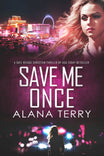
Warning: This novel is NOT for the faint of heart ...
Best-selling Christian thriller
A runaway teen. A desperate mother. A relentless detective with a sordid past ...
Get your copy of SAVE ME ONCE and dive into this bestselling Christian thriller today!